Instalación del kit de recubrimiento UV
Esta guía proporciona los pasos necesarios para instalar el módulo de inspección de recubrimiento UV en la AOI AI-4050.
Vídeo guía de instalación
Lista de piezas incluidas
Instalación del cable de alimentación
Nota
Las unidades nuevas incluyen el cable de alimentación del módulo UV preinstalado. Si su AOI ya tiene este cable instalado, pase al siguiente paso.
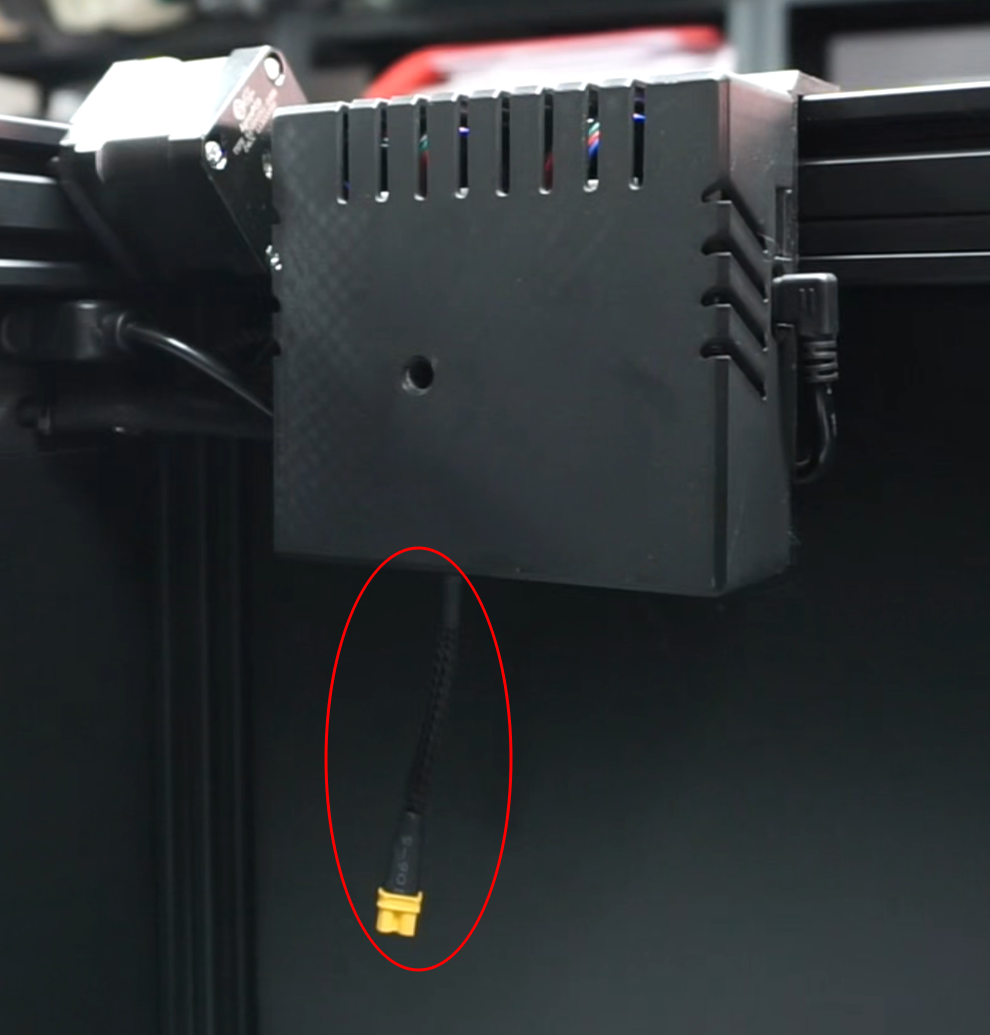
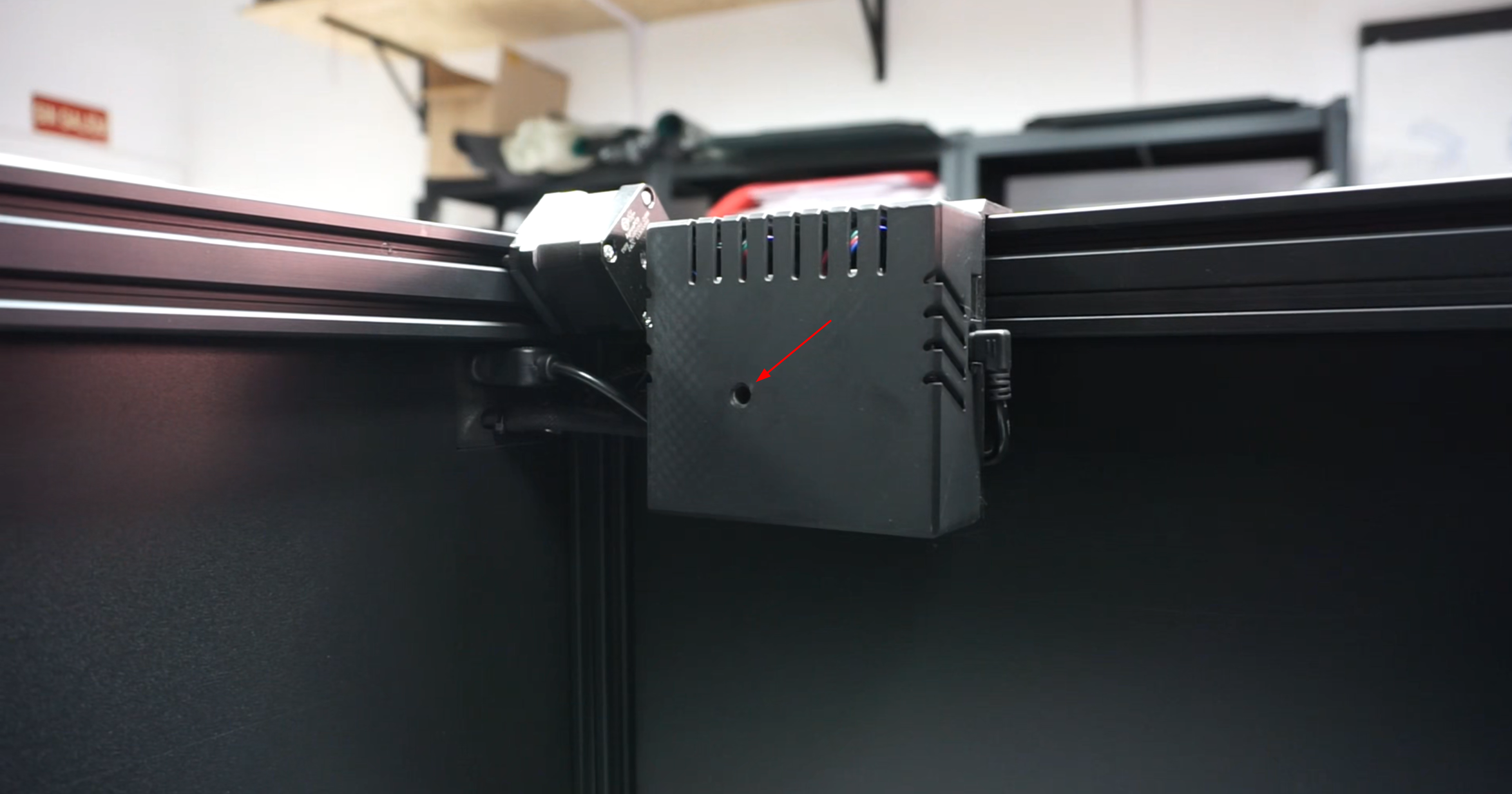
La placa de control se encuentra dentro de la cámara de inspección, en la parte superior derecha. Retire la pegatina de advertencia de la tapa y desenrosque el tornillo interior con un destornillador hexagonal. Retire la tapa de plástico de la placa de control.
Afloje los tornillos del terminal indicado en la imagen.
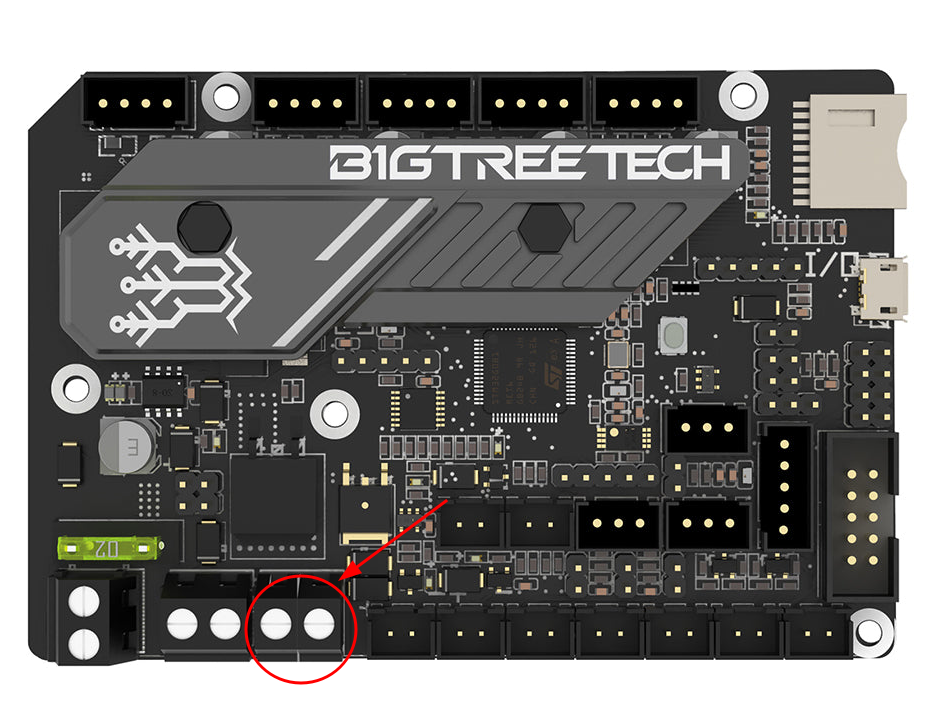
Conecte el cable negro al terminal izquierdo (negativo) y el cable rojo al terminal derecho (positivo). Asegúrese de que cada cable esté completamente insertado en el terminal y apriete ambos tornillos. Compruebe que las conexiones sean firmes tirando suavemente de ellas.
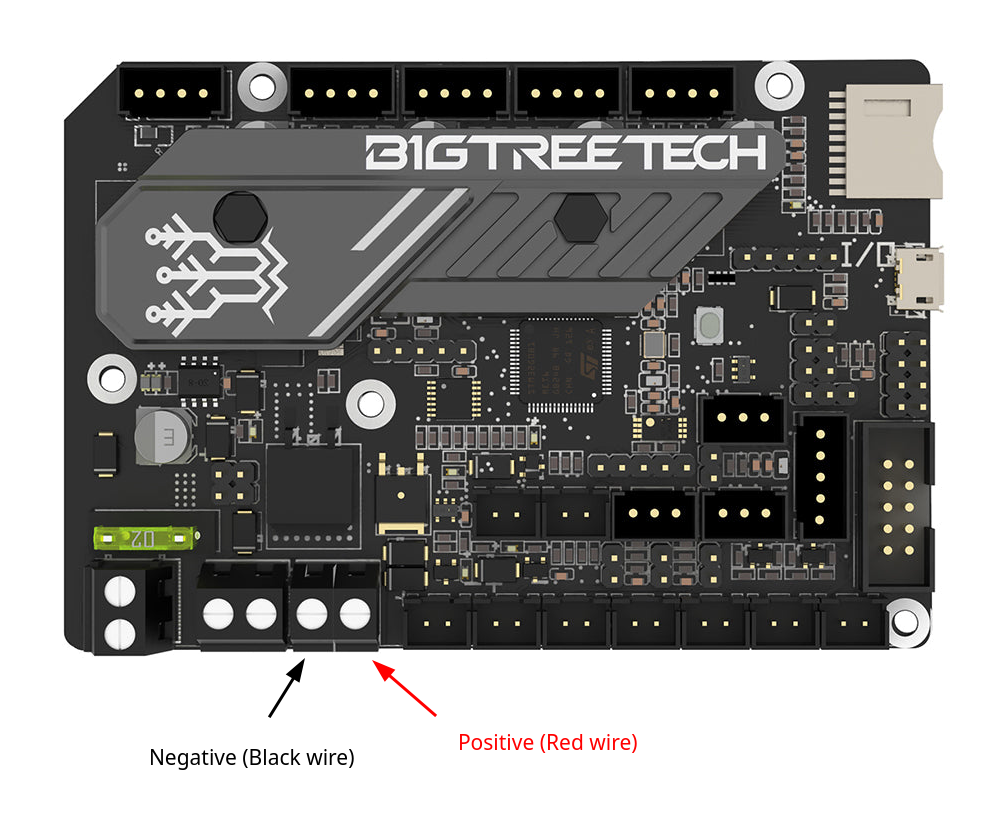
Una vez conectado el cable, vuelva a colocar la tapa de la carcasa en su posición y apriete el tornillo para fijarla.
Colocación y conexión del convertidor reductor de CC
Coloque uno de los tornillos M5 con su tuerca, incluidos en el kit, en la ranura del perfil de aluminio vertical situado bajo la placa de control. No lo apriete completamente todavía.
Coloque el segundo tornillo encima del primero, a unos 10 centímetros de distancia.
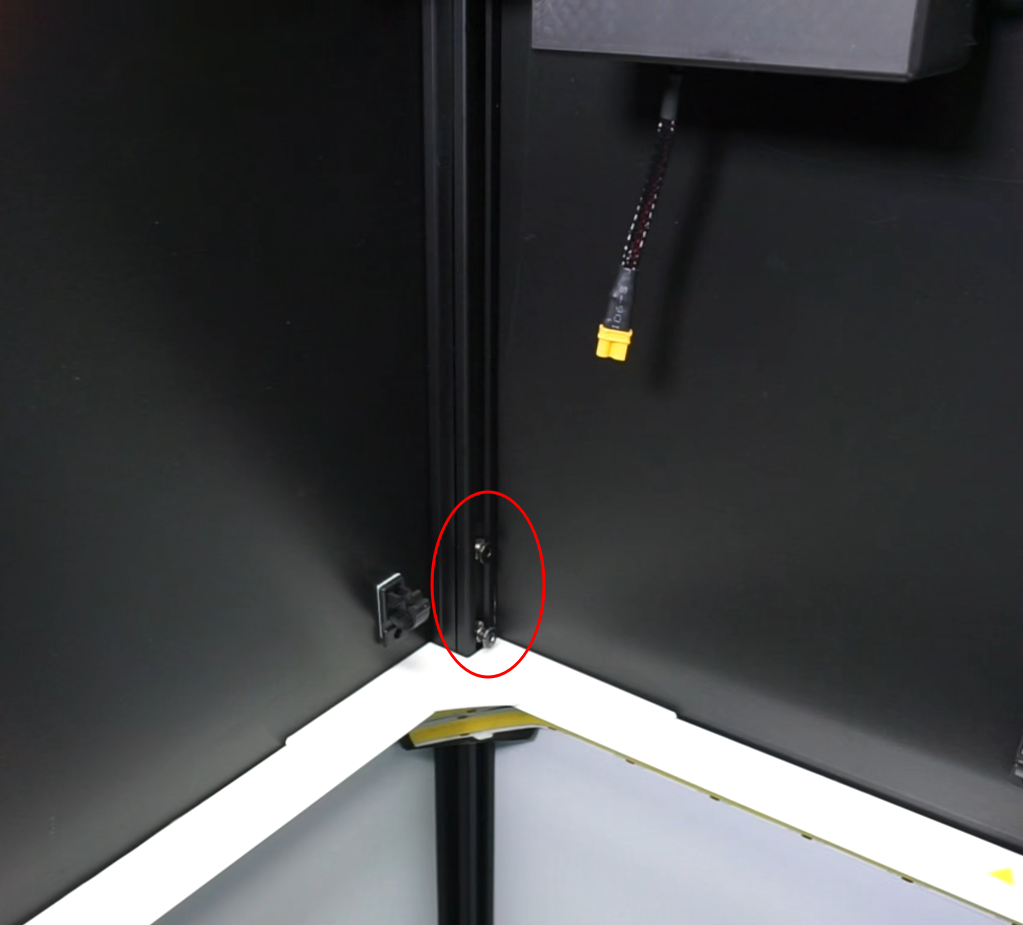
Coloque el regulador de voltaje con el cable rojo hacia arriba y fíjelo con ambos tornillos.
Importante
Asegúrese de que las tuercas giren dentro de la ranura y de que los tornillos queden bien fijados.
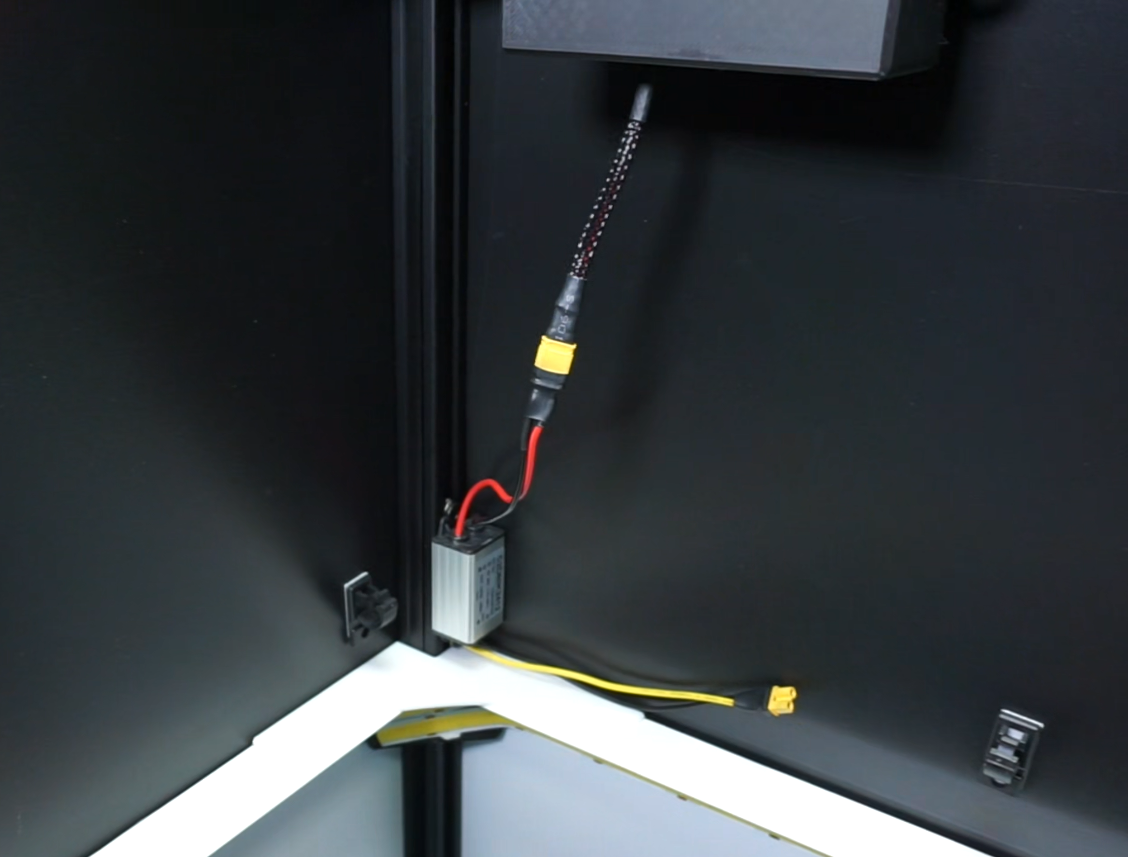
Conecte los cables negro y rojo al cable de alimentación de la placa de control.
Instalación de los LED UV
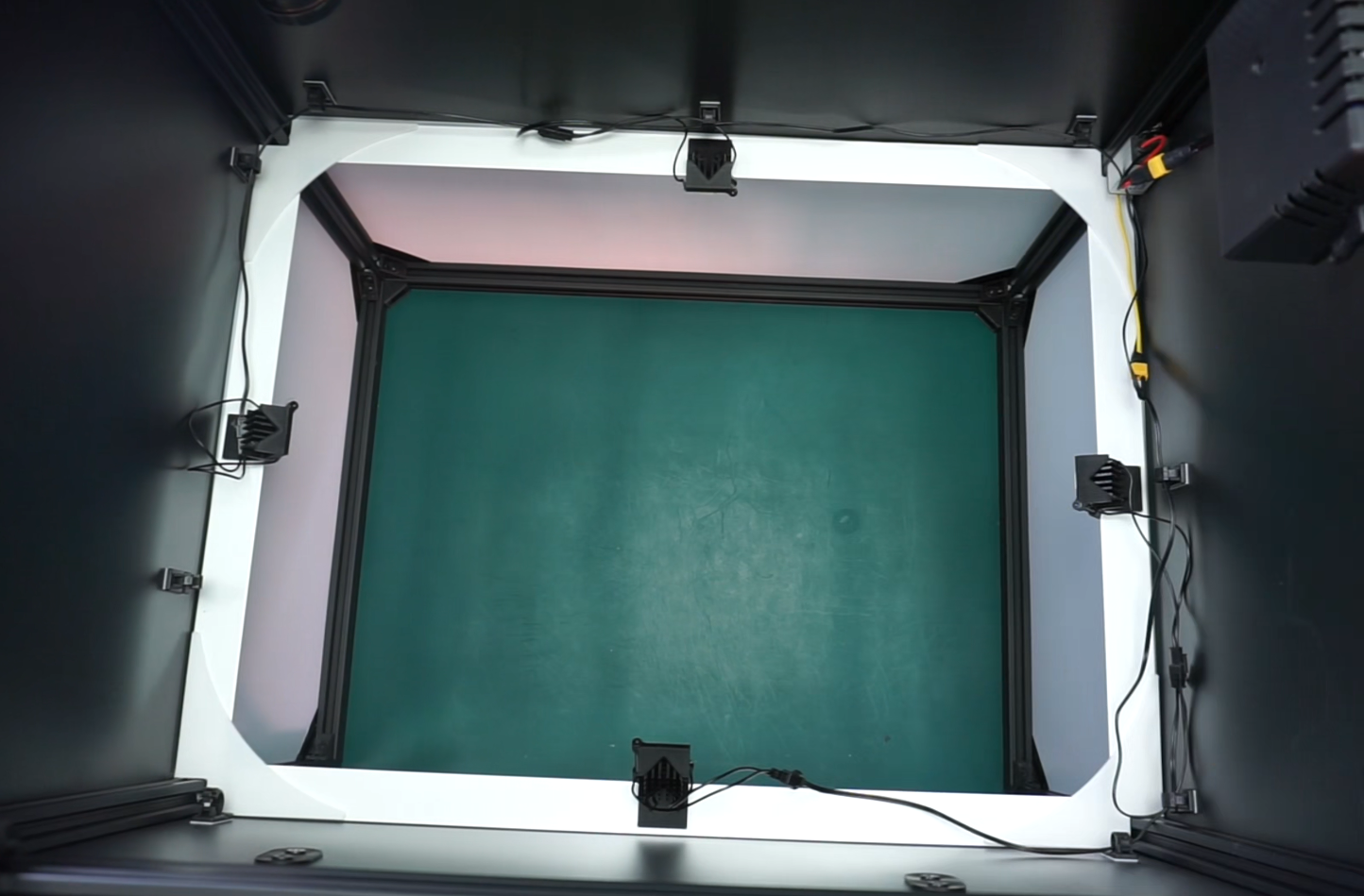
Coloque los LED UV en el borde superior del anillo de luz, en las marcas de triángulo amarillo, o, si no están marcadas, en el centro de cada lado.
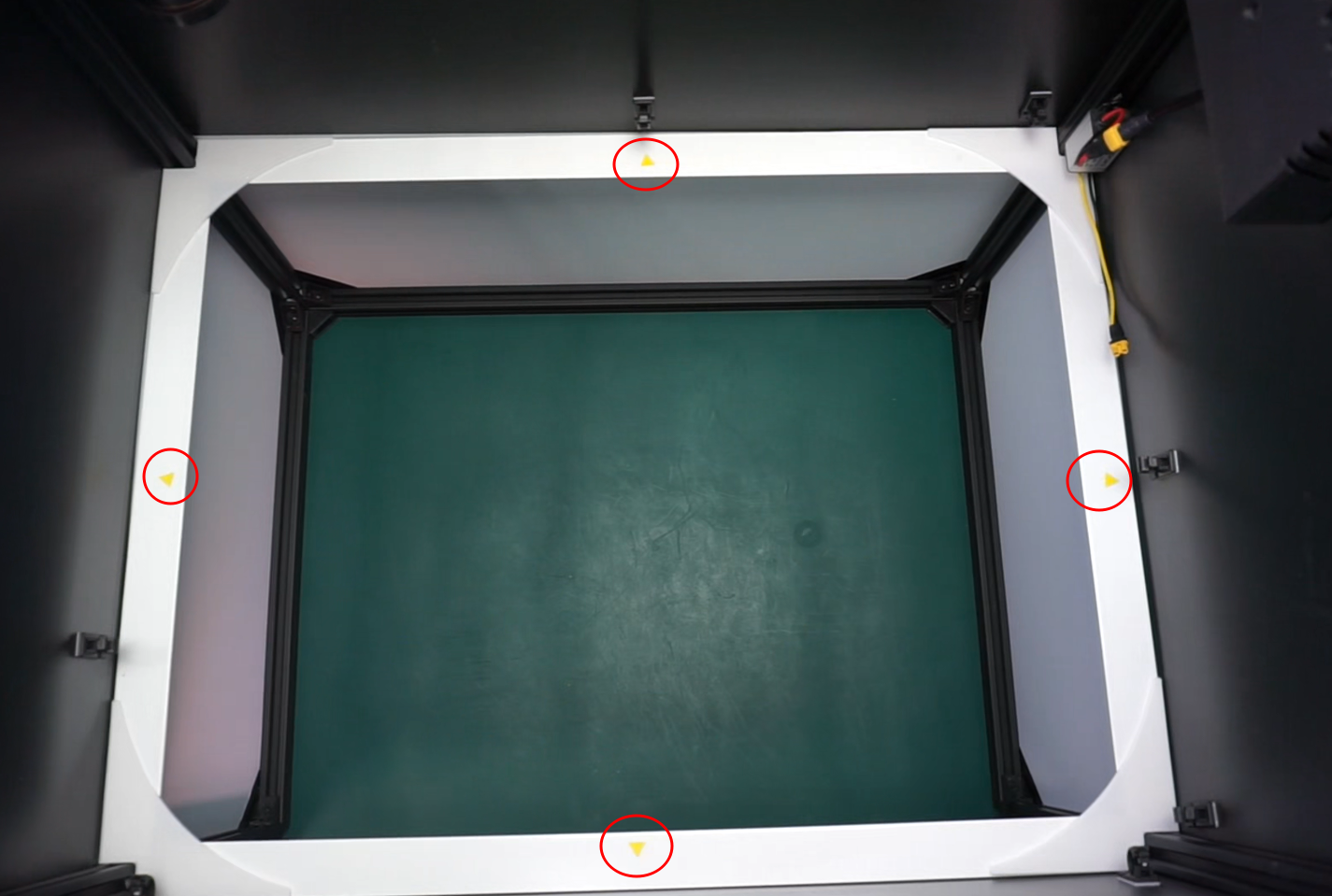
Inserte el soporte del LED en la parte superior del borde blanco, dejando el LED hacia arriba, y presione hasta oír un clic. Repita este proceso con los 3 LED restantes.
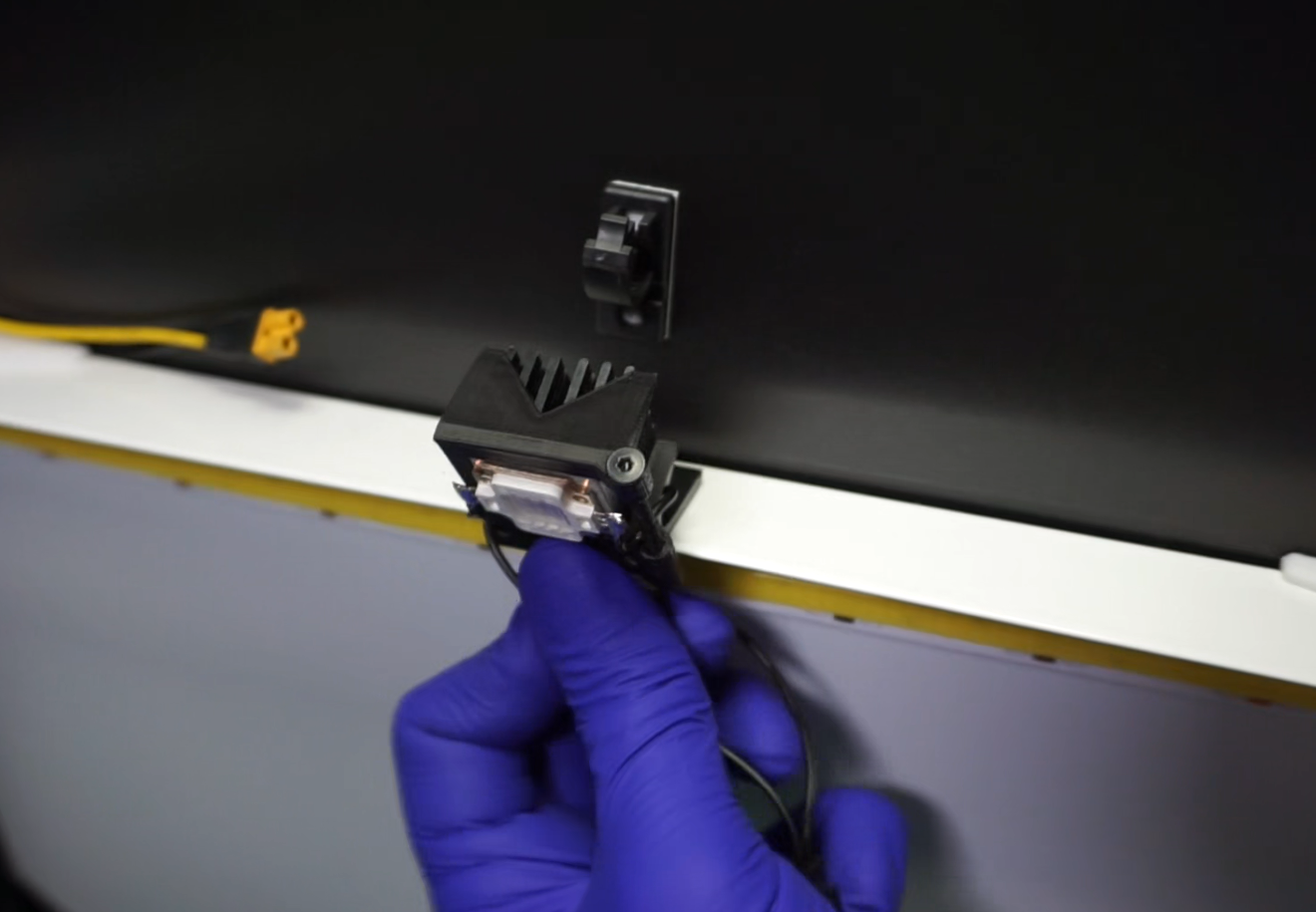
Pegue las guías de cable encima del anillo de iluminación con la abertura de la pinza hacia arriba. Colóquelas en las mejores ubicaciones para poder enrutar los cables UV con facilidad.
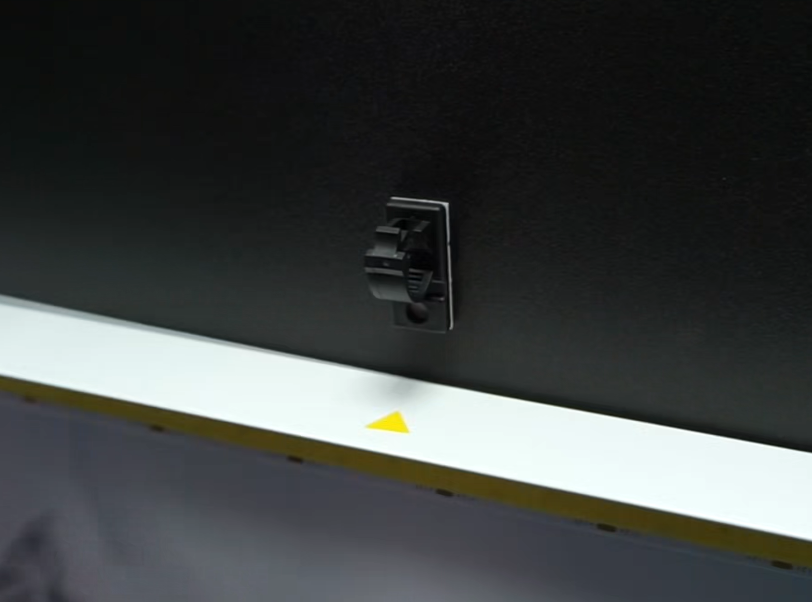
Conexión de los LED UV al convertidor de CC
Con los LED UV ya instalados, conecte el cable de alimentación en "Y" a la parte inferior del convertidor reductor de CC (cables negro y amarillo) y continúe conectando cada LED a su pin correspondiente. Tenga en cuenta que uno de los cables es más corto que el otro.
Pase los cables por las guías instaladas previamente, asegurándose de que no queden visibles para la cámara.