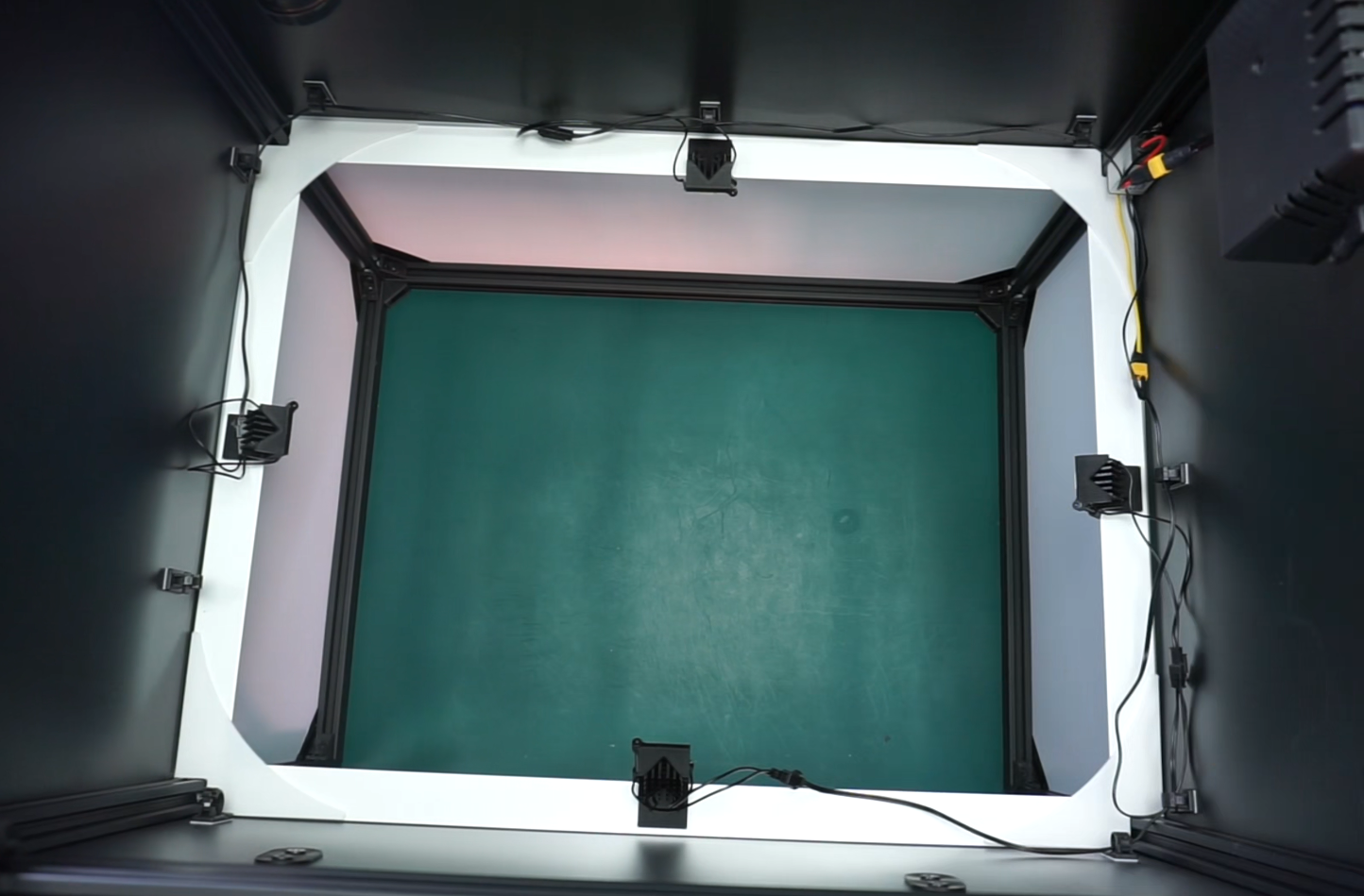
Installation des UV-Beschichtungskits
Diese Anleitung beschreibt die notwendigen Schritte zur Installation des UV-Beschichtungs-Inspektionsmoduls an der AOI AI-4050.
Video-Installationsanleitung
Liste der enthaltenen Teile
Installation des Stromkabels
Hinweis
Neue Einheiten enthalten das Stromkabel des UV-Moduls bereits vorinstalliert. Wenn Ihre AOI dieses Kabel bereits installiert hat, fahren Sie mit dem nächsten Schritt fort.
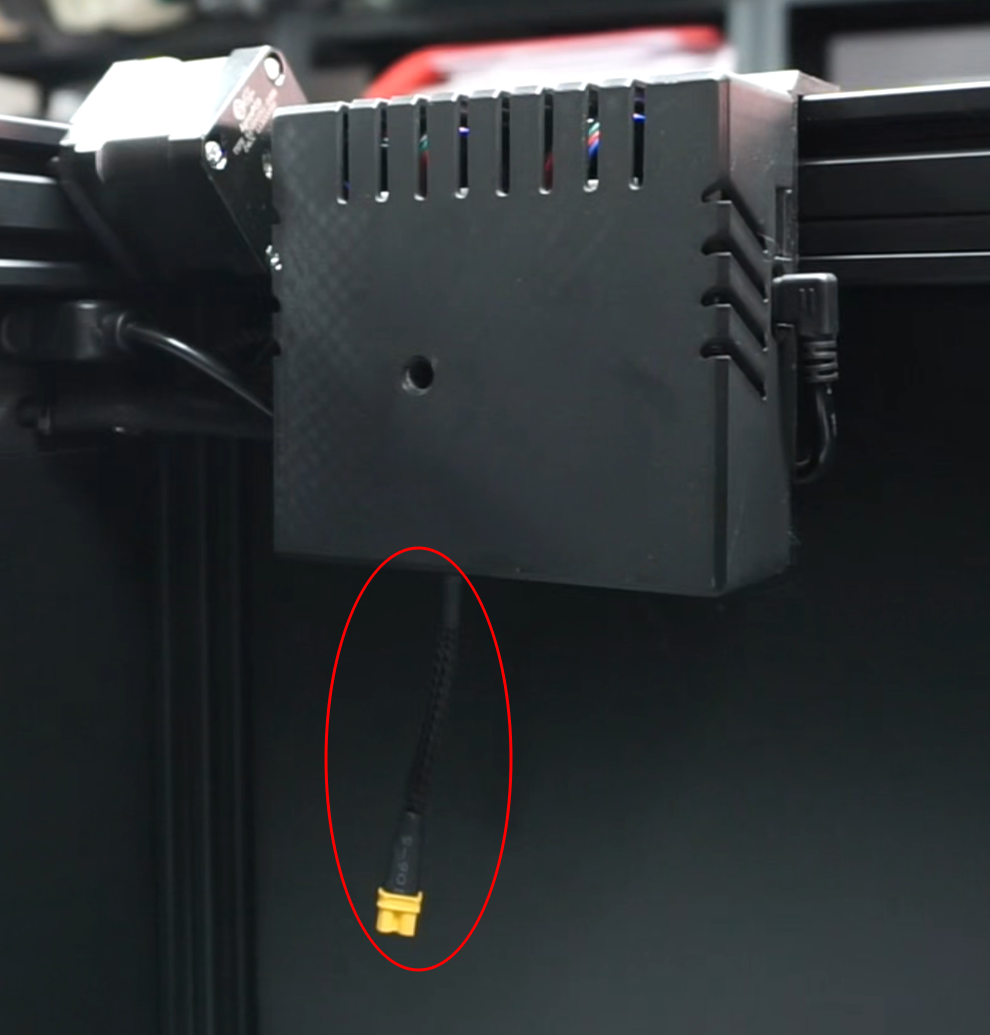
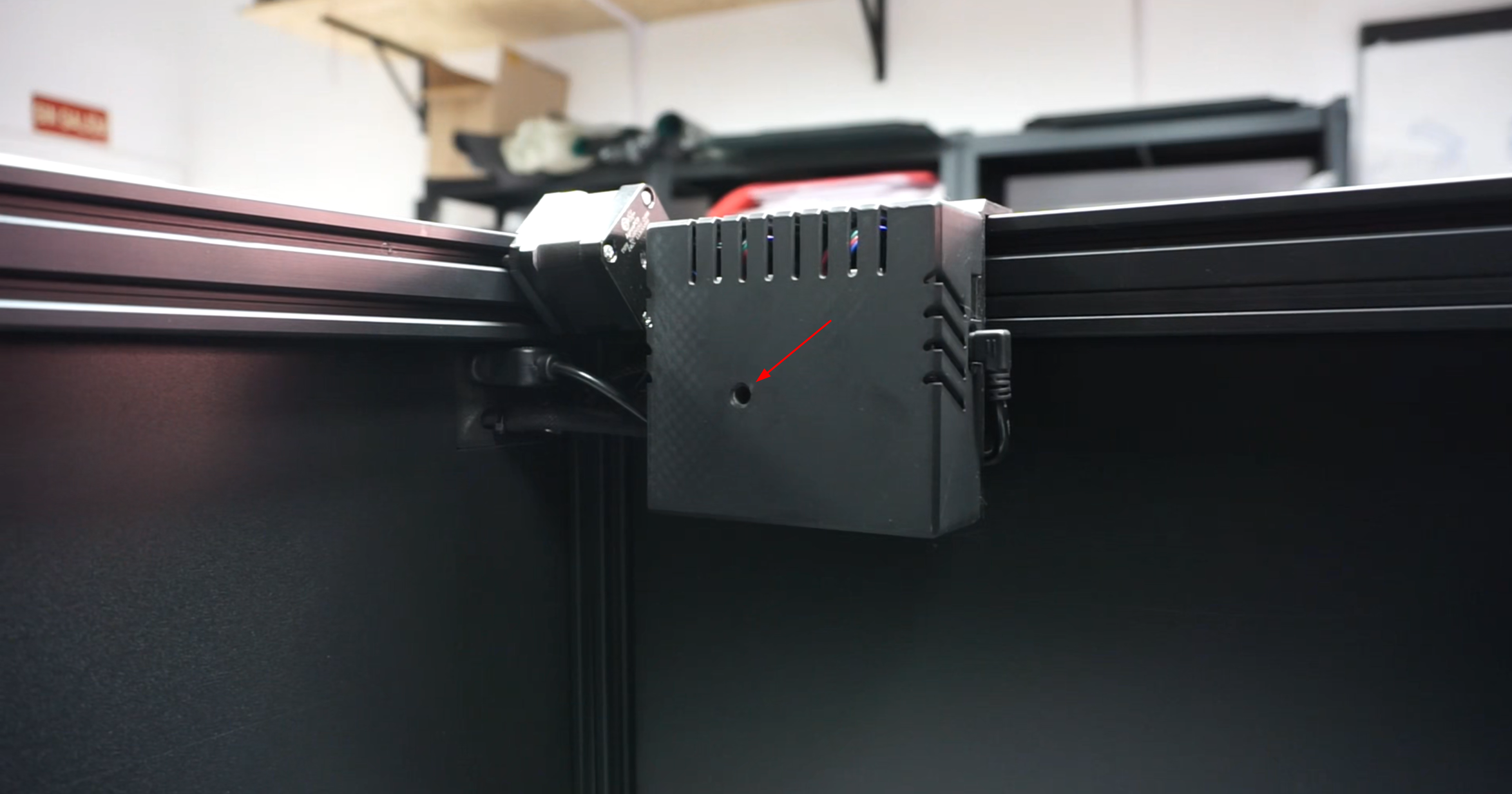
Die Steuerplatine befindet sich im Inneren der Inspektionskammer auf der oberen rechten Seite. Entfernen Sie den Warnaufkleber von der Abdeckung und lösen Sie die Schraube im Inneren mit einem Inbusschraubendreher. Entfernen Sie die Kunststoffabdeckung der Steuerplatine.
Lösen Sie die Schrauben an der in der Abbildung gezeigten Klemme.
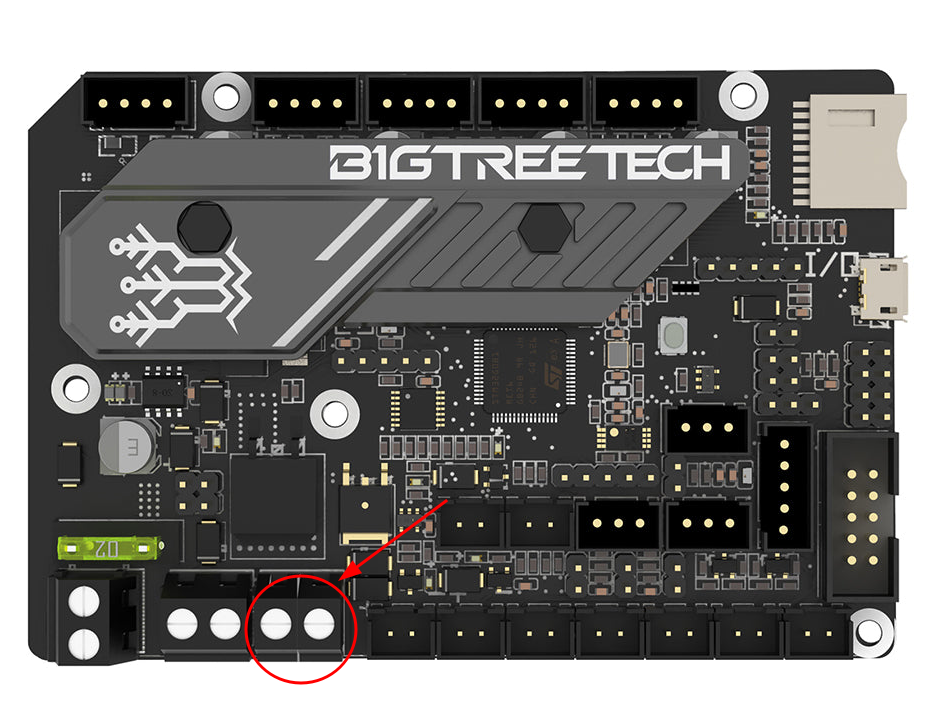
Schließen Sie den schwarzen Draht an die linke Klemme (Minus) und den roten Draht an die rechte Klemme (Plus) an. Achten Sie darauf, dass jeder Draht vollständig in die Klemme eingeführt ist, und ziehen Sie beide Schrauben fest. Überprüfen Sie die Verbindungen, indem Sie leicht daran ziehen.
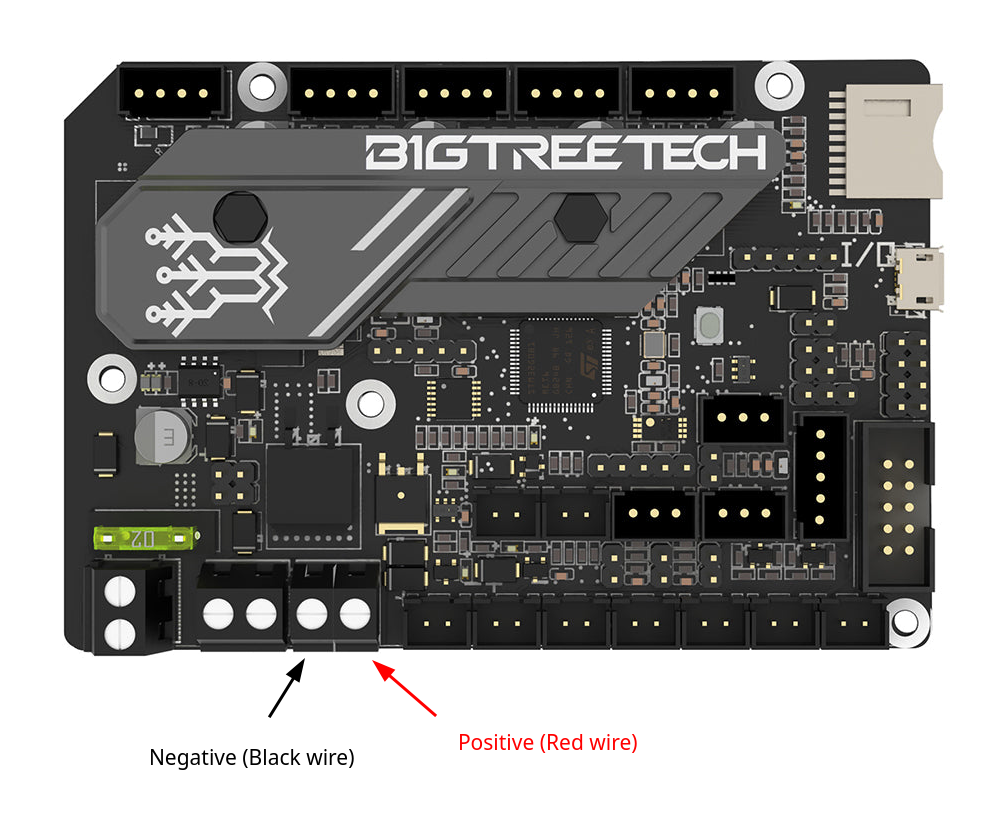
Sobald das Kabel angeschlossen ist, setzen Sie die Gehäuseabdeckung wieder an ihre Position und ziehen Sie die Schraube fest, um sie zu sichern.
Platzierung und Anschluss des DC-Spannungswandlers
Setzen Sie eine der im Kit enthaltenen M5-Schrauben mit Mutter in die Nut des vertikalen Aluminiumrahmens unterhalb der Steuerplatine ein. Ziehen Sie sie noch nicht vollständig fest.
Setzen Sie die zweite Schraube etwa 10 Zentimeter oberhalb der ersten ein.
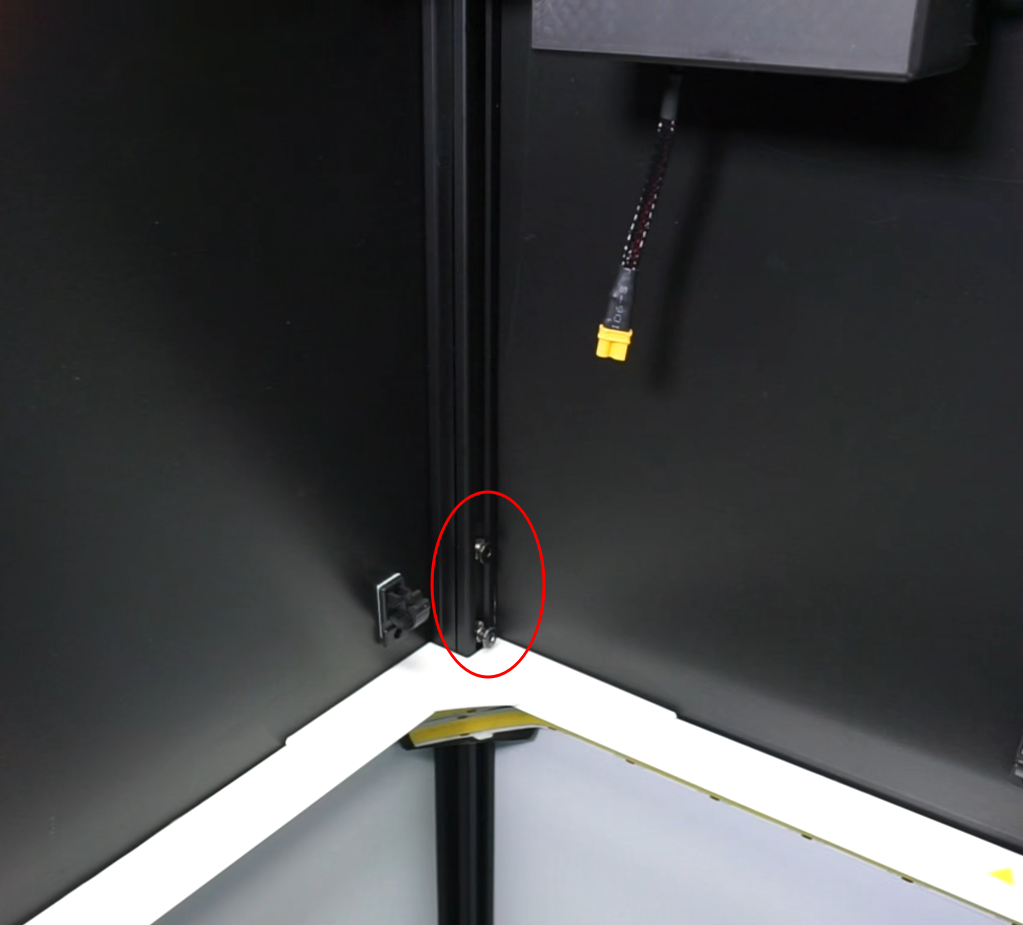
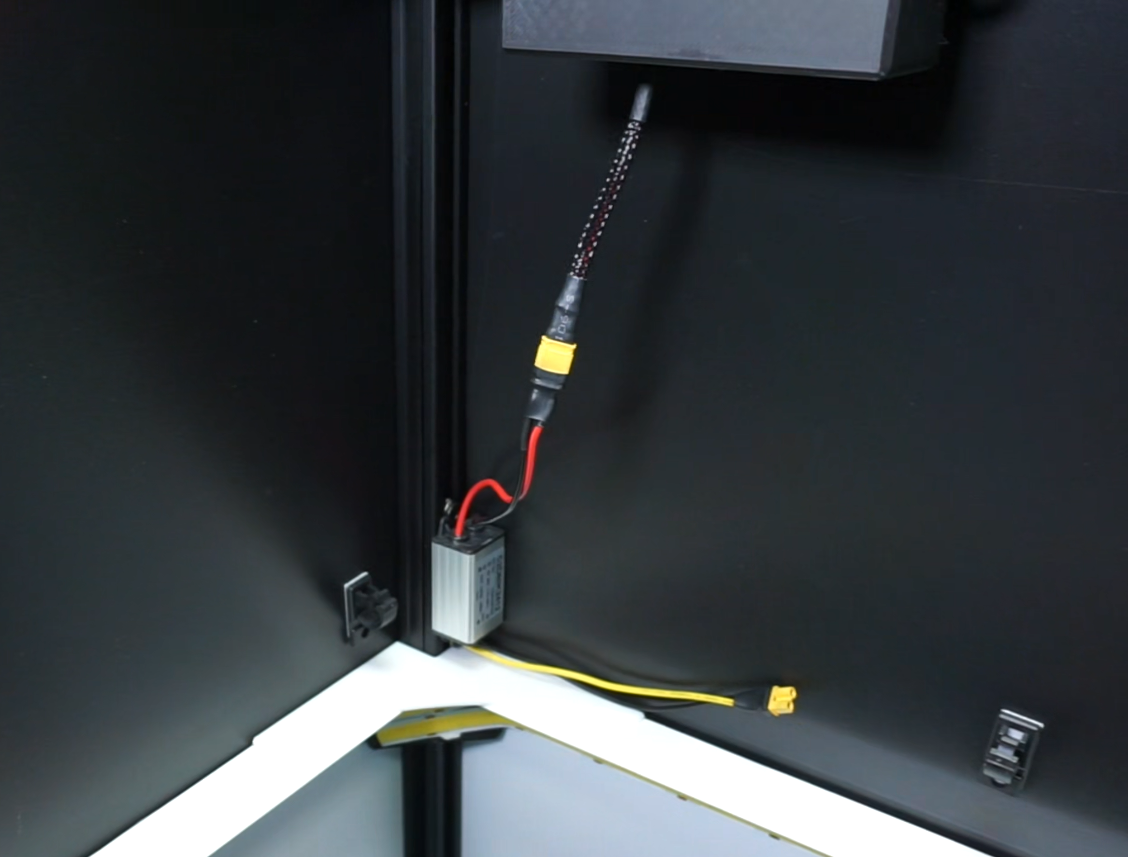
Positionieren Sie den Spannungsregler mit dem roten Draht nach oben und sichern Sie ihn mit beiden Schrauben.
Wichtig
Stellen Sie sicher, dass sich die Muttern in der Nut drehen lassen und die Schrauben fest angezogen sind.
Schließen Sie den schwarzen und den roten Draht an das Stromkabel der Steuerplatine an.
Installation der UV-LEDs
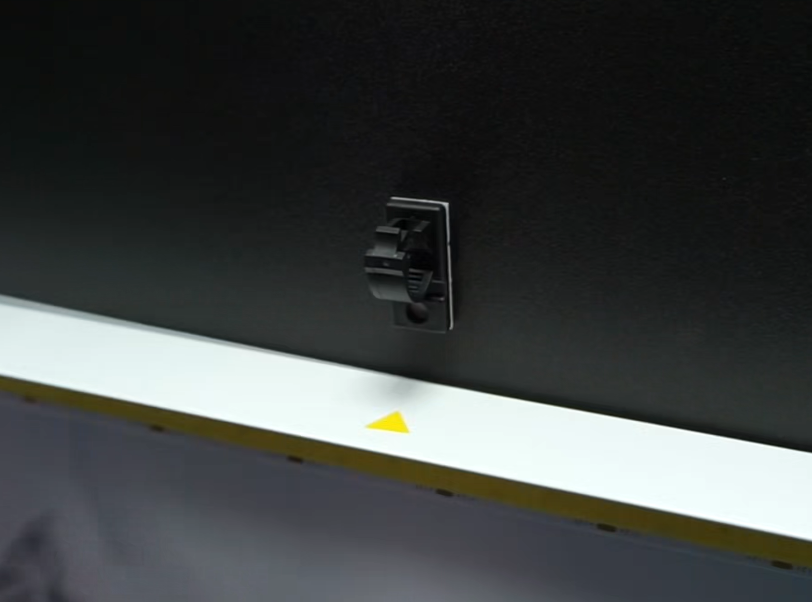
Platzieren Sie die UV-LEDs am oberen Rand des Ringlichts, an den gelben Dreiecksmarkierungen, oder, falls diese nicht vorhanden sind, in der Mitte jeder Seite.
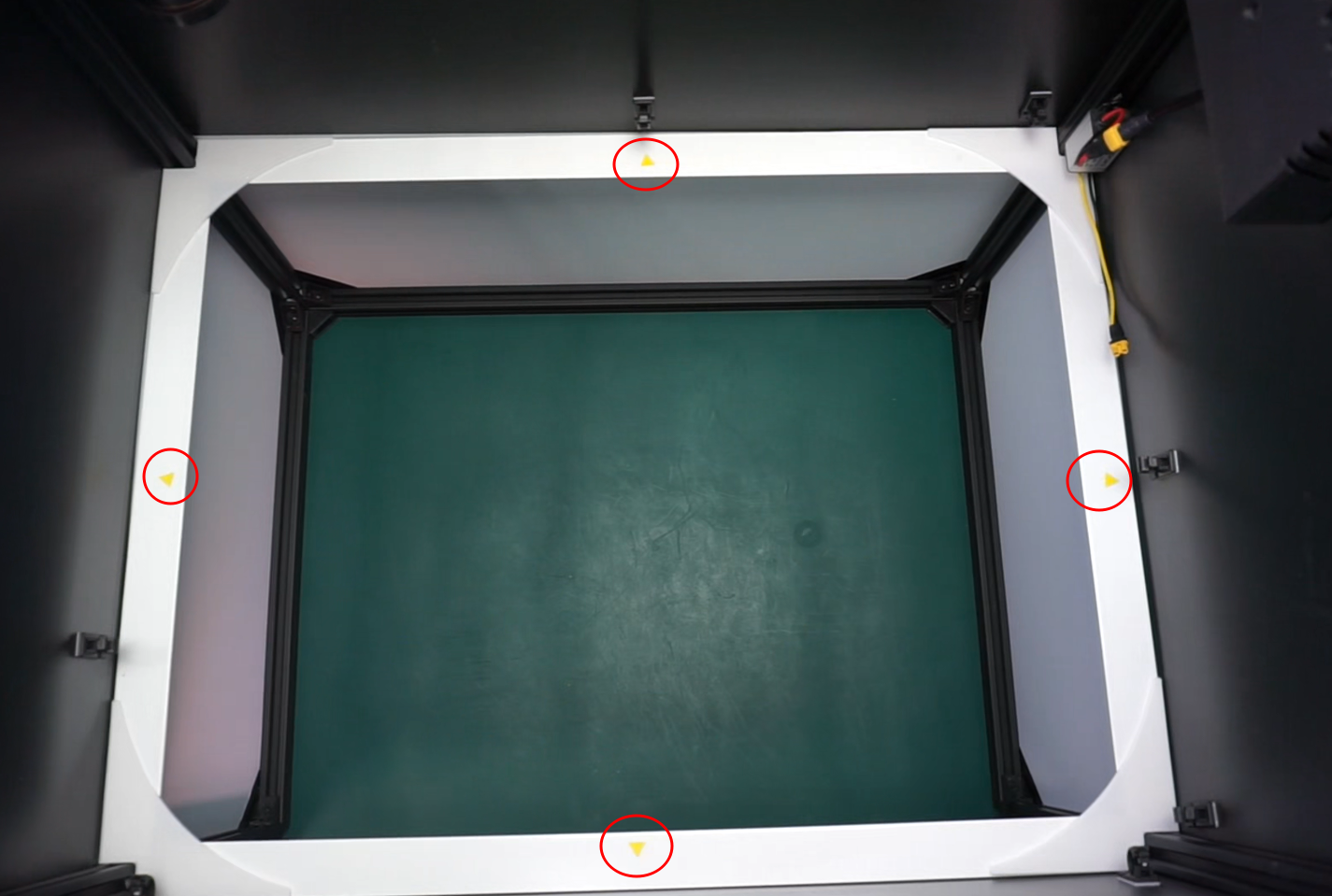
Setzen Sie die LED-Halterung oben in den weißen Rand ein, wobei die LED nach oben zeigt, und drücken Sie, bis Sie ein Klicken hören. Wiederholen Sie diesen Vorgang mit den übrigen 3 LEDs.
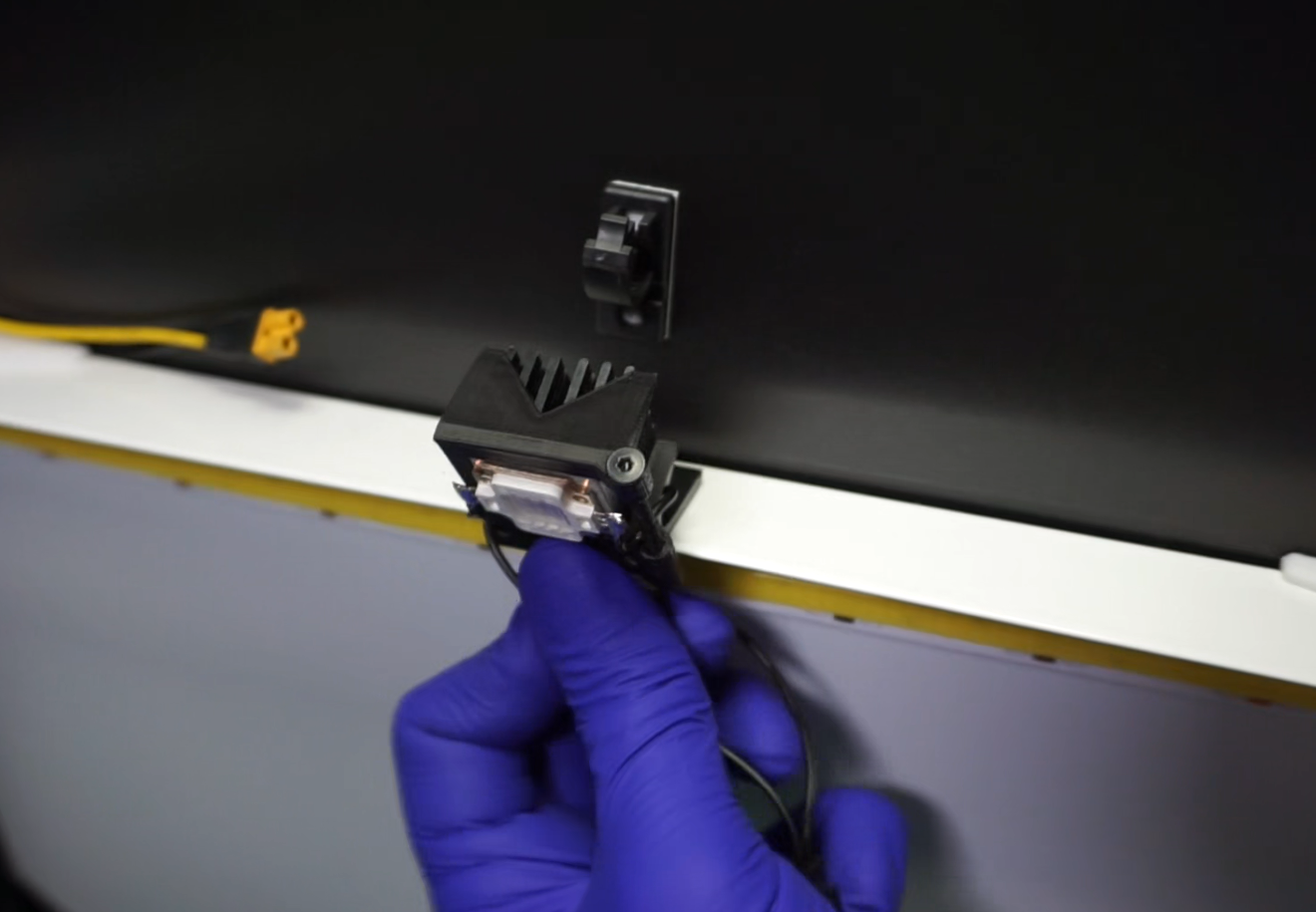
Kleben Sie die Kabelführungen oberhalb des Beleuchtungsrings an, mit der Klemmöffnung nach oben. Positionieren Sie sie an den geeignetsten Stellen, um die UV-Kabel leicht verlegen zu können.
Anschluss der UV-LEDs an den DC-Wandler
Verbinden Sie bei bereits installierten UV-LEDs das „Y“-Stromkabel mit der Unterseite des DC-Spannungswandlers (schwarzer und gelber Draht) und schließen Sie anschließend jede LED an den zugehörigen Pin an. Beachten Sie, dass einer der Drähte kürzer ist als der andere.
Führen Sie die Drähte durch die zuvor installierten Führungen und achten Sie darauf, dass sie für die Kamera nicht sichtbar sind.